
[EN] Cross-account functions - Subscriber
Multi-account address search
The multi account address search enables centralized analysis and management of subscriber data across multiple accounts. It provides transparency regarding which account contain a specific subscriber, thereby facilitating consistent maintenance of contact data.
Based on this, targeted actions can be carried out across accounts. These include, among other things, reactivating subscribers, removing them from the Robinson list or blacklist, resetting bounces, and completely deleting subscriber data. This supports both data quality and compliance with data protection and regulatory requirements.
In addition, centralized queries can be performed, such as generating an information report in accordance with Art. 15 of the EU GDPR and viewing sent email campaigns.
Furthermore, the feature provides an overview of which accounts a subscriber is listed in and whether they are included in email campaigns.
Usage
The mulit client adress search is integrated into the subscriber overview and provides centralized access to subscriber data across multiple accounts. You can find this feature in the menu under “Subscriber” > “Show subscribers,” where you can select it directly.


Next, enter the subscribers' email address and select the relevant accounts in which the search should be performed. This allows you to narrow down the results in a targeted and efficient manner.
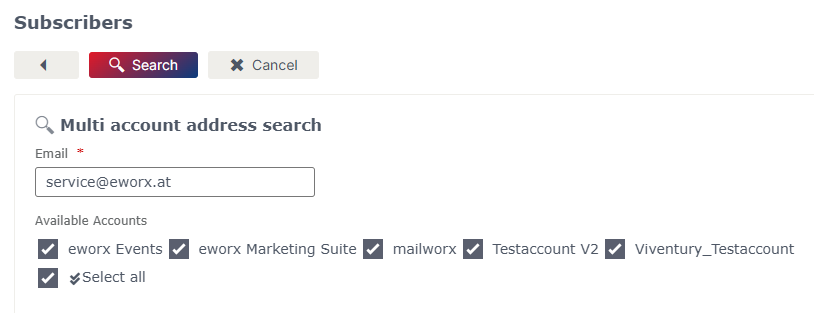
After clicking “Search,” the available information about the subscriber is displayed across all accounts. The results provide a structured overview of the available data and enable quick analysis and further actions.
Mulit account actions and queries
Once the search is complete, a table displaying all subscribers associated with the entered email address in the selected accoutns will appear. Based on these results, various multi account actions and additional queries are available.
Actions
Centralized administrative actions can be performed across all clients for the recipients found. These include:
- Reactivate subscribers: Reactivate subscribers who were deactivated as a result of automated processes
- Remove from the Robinson list: Remove subscribers from the Robinson list
- Remove from blacklist: Remove subscribers from the blacklist
- Reset bounces: Reset the bounce counters (e.g., hard and soft bounces)
- Delete subscriber: Complete deletion of subscriber data, including the creation of a deletion report in accordance with Article 17 of the EU GDPR
These features enable consistent and efficient maintenance of subscriber data across all clients.
Queries
In addition, multi account queries are available, enabling transparent analysis and traceability:
- Information report pursuant to Article 15 of the EU GDPR: Preparation of a comprehensive report on all data stored regarding a subscriber
- Email campaigns sent: Overview and analysis of campaigns sent to subscribers across all accounts
The combination of centralized actions and comprehensive queries supports both operational processes and compliance with regulatory requirements.
Multi account import
Multi account import allows you to efficiently transfer subscribers to multiple accounts simultaneously. This reduces manual effort, improves data quality, and significantly speeds up the entire import process.
A prerequisite for using this feature is a consistent data structure across the target accounts. In particular, all relevant subscriber fields must exist in the respective account, use the same field types, and have the required mandatory fields defined accordingly.
Usage
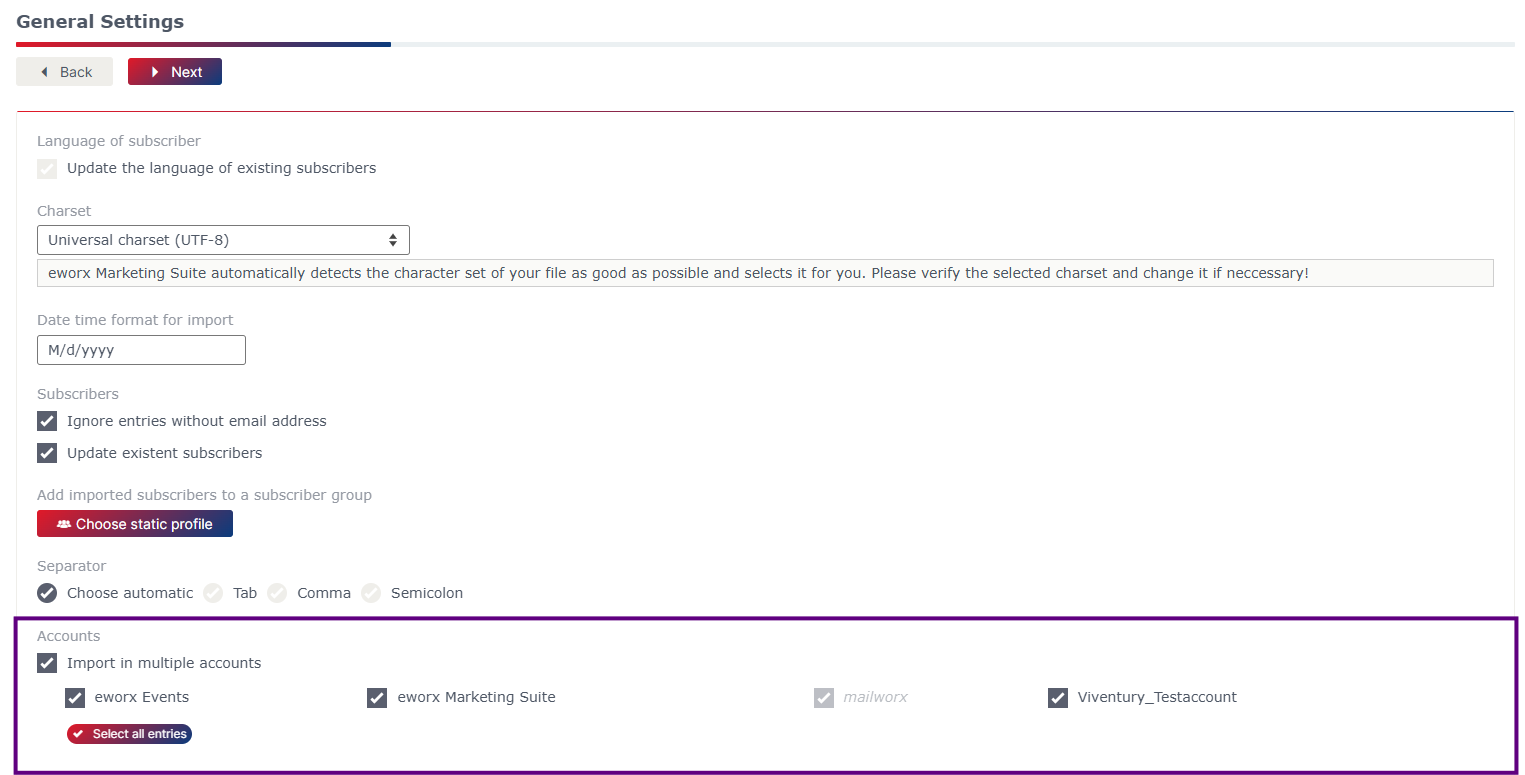
The import process begins as usual. In the second step, you can select the “Import into multiple accounts” option at the bottom of the screen. You can then select the target accounts to which you want to transfer the subscriber data.
Manage block lists
Managing blacklists and Robinson lists is a key component of compliant communication management. Both lists make it possible to specifically exclude subscribers from being contacted.
Subscribers can be removed from the respective block list across all accounts. This feature ensures that changes take effect centrally and apply consistently across all clients. This reduces administrative overhead and ensures a uniform database.
Usage
To remove a subscriber from a block list across multiple accounts at once, use the “Remove email in multiple accounts from blacklist” feature.
First, select the relevant subscriber. Then specify the accounts for which the removal should be performed.
Review your selection and confirm the process by clicking “Remove.” The subscriber will then be removed from the blacklists of the selected accounts.
Updated 5 months ago