
[EN] Sub events - practical guide
Practical Examples of Sub-Events
Below are some examples of how sub-events can be organized within main events. Participants can register for specific program activities or attend only those that interest them.
Example 1: Parallel, Optional Event with Limited Capacity, Open to All Participants
Main Event: Open House Day
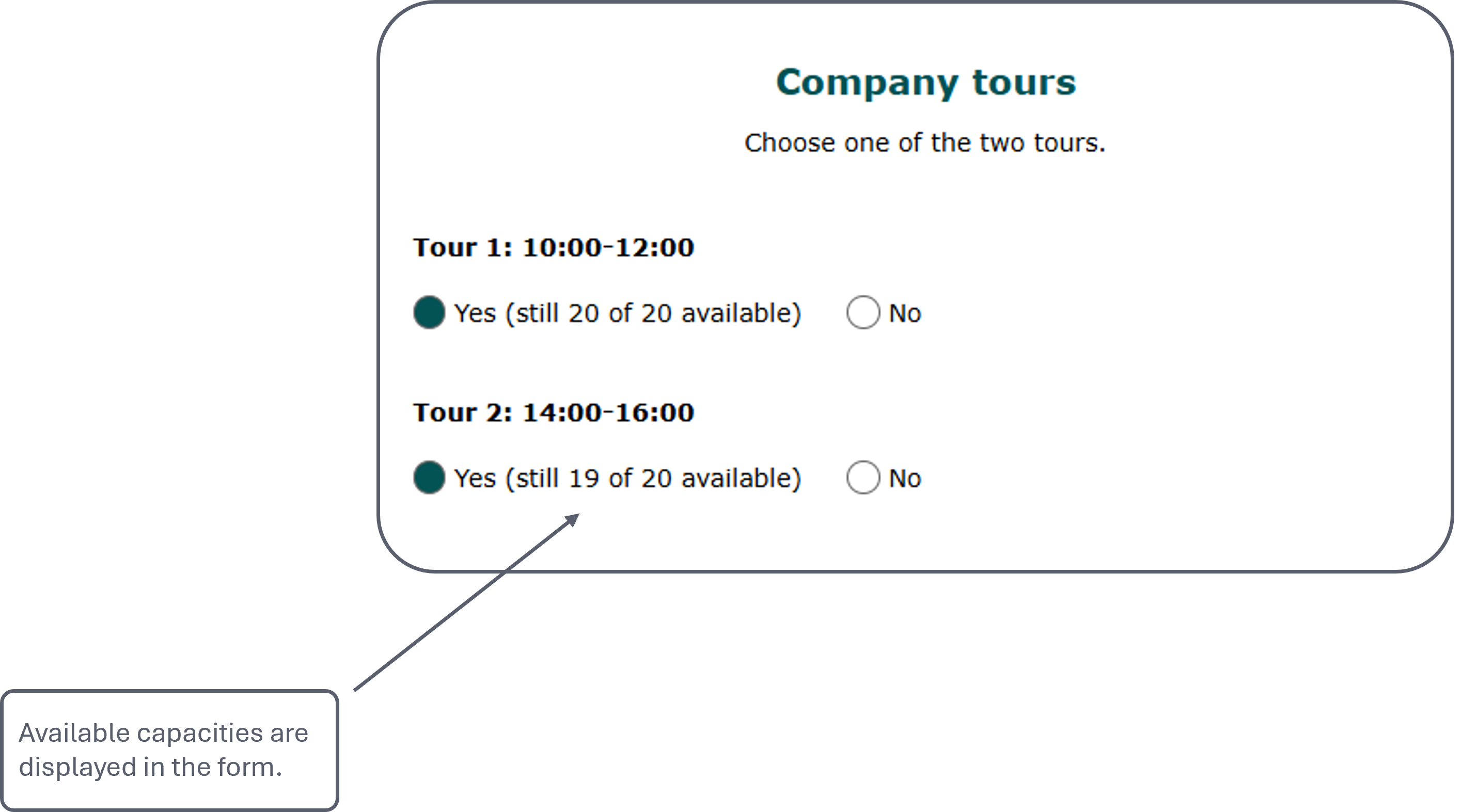
Sub-Events: Several company tours take place at different times. Participants can register in advance for the tour that suits them best.
👉 Practical Tip: Create a separate sub-event for each tour, clearly indicating the time in the title, and set a participant limit. This allows you to keep track of available spots in the dashboard and guest list at all times.
Example 2: Sub-Event for Selected Subscriber Groups
Main Event: Anniversary Celebration
Sub-Event 1: The celebration begins with a networking session where guests can connect and exchange ideas in a relaxed atmosphere.
Sub-Event 2: This is followed by a presentation highlighting the company's key achievements.
Sub-Event 3: The event concludes with a dinner where participants can relax and enjoy the end of the day together.
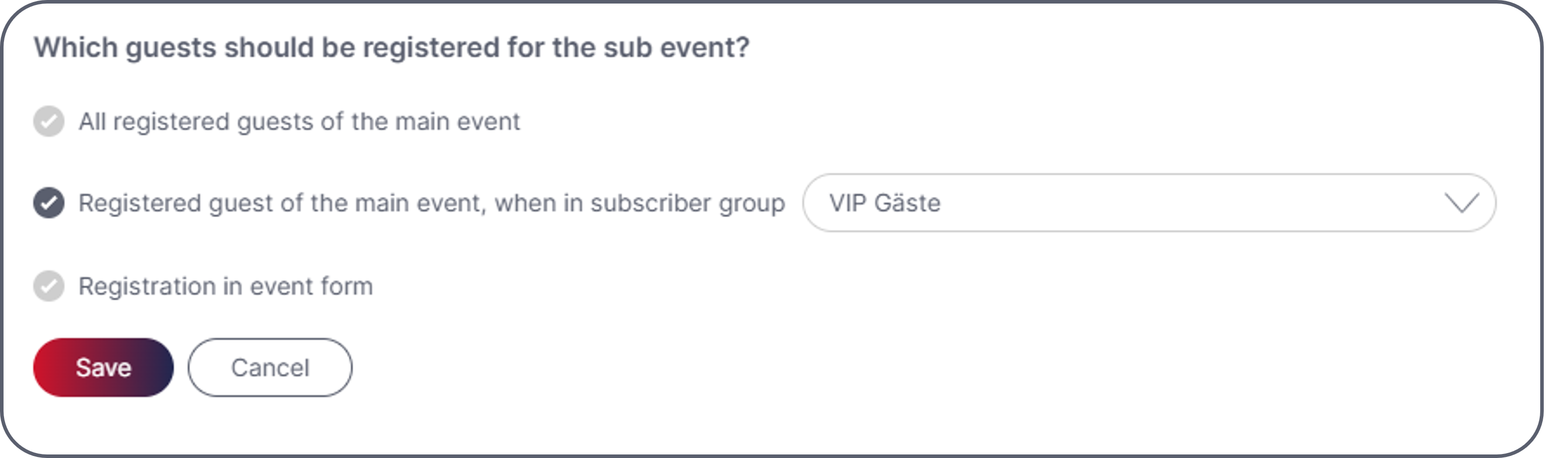
Sub-Event 4: An exclusive VIP reception also takes place before the main event begins. This is created as a separate sub-event.
VIP guests are assigned to a dedicated subscriber group in the eworx Marketing Suite and are automatically assigned to this sub-event upon registration. (Setting configured when creating the sub-event)
👉 Practical Tip: Use the subscriber group settings in the eworx Marketing Suite to automatically assign selected guests to specific sub-events without requiring an additional selection in the event form. This allows you to organize exclusive program activities efficiently and with full control.
Example 3: Communication with Sub-Event Participants
Main Event: Information Event
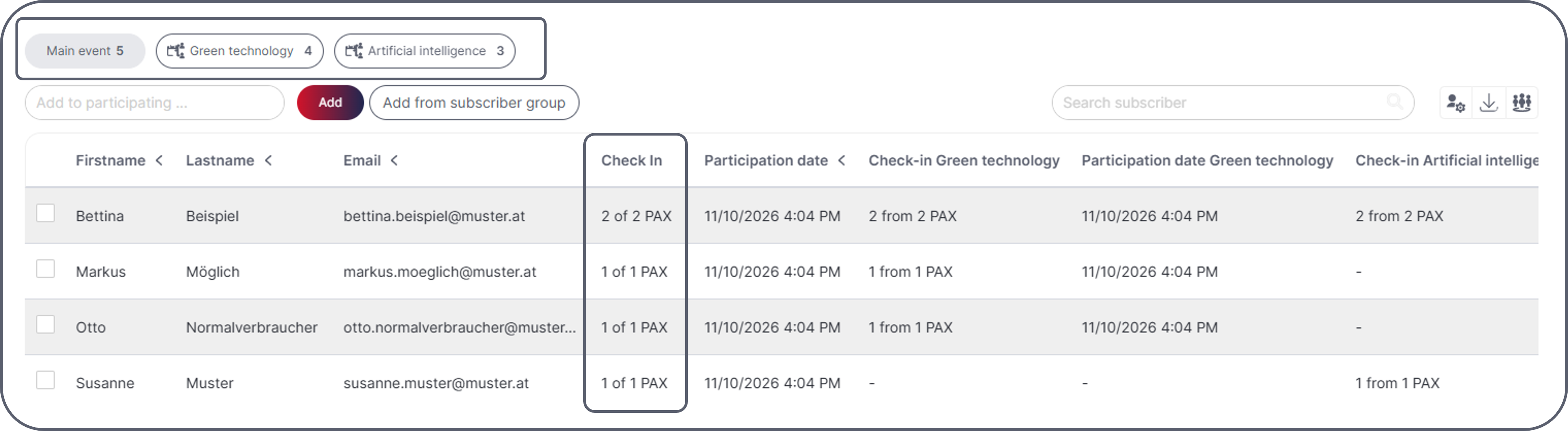
Sub-Events: As part of the event, there is an optional presentation that participants can attend. Those interested can register for the presentation, while others can move on to other program activities.
👉 Practical Tip: Use sub-event data for segmentation: Participants who attended the presentation can receive targeted follow-up communication with additional information or materials.
Updated about 3 hours ago