
Campaigns of Events - practical guide
During an event, various campaigns are used – from invitations and reminders to registration confirmations and follow-ups. Each campaign serves a specific purpose and should therefore be designed with appropriate content and event links.
The following practical examples show which campaigns are typically used and which content and links have proven effective at each stage.
Invitation Campaign
Typical Content:
- Brief introduction to the event
- Date, time, location, or online event information
- Program highlights
- Information about limited capacity
Recommended Event Links:
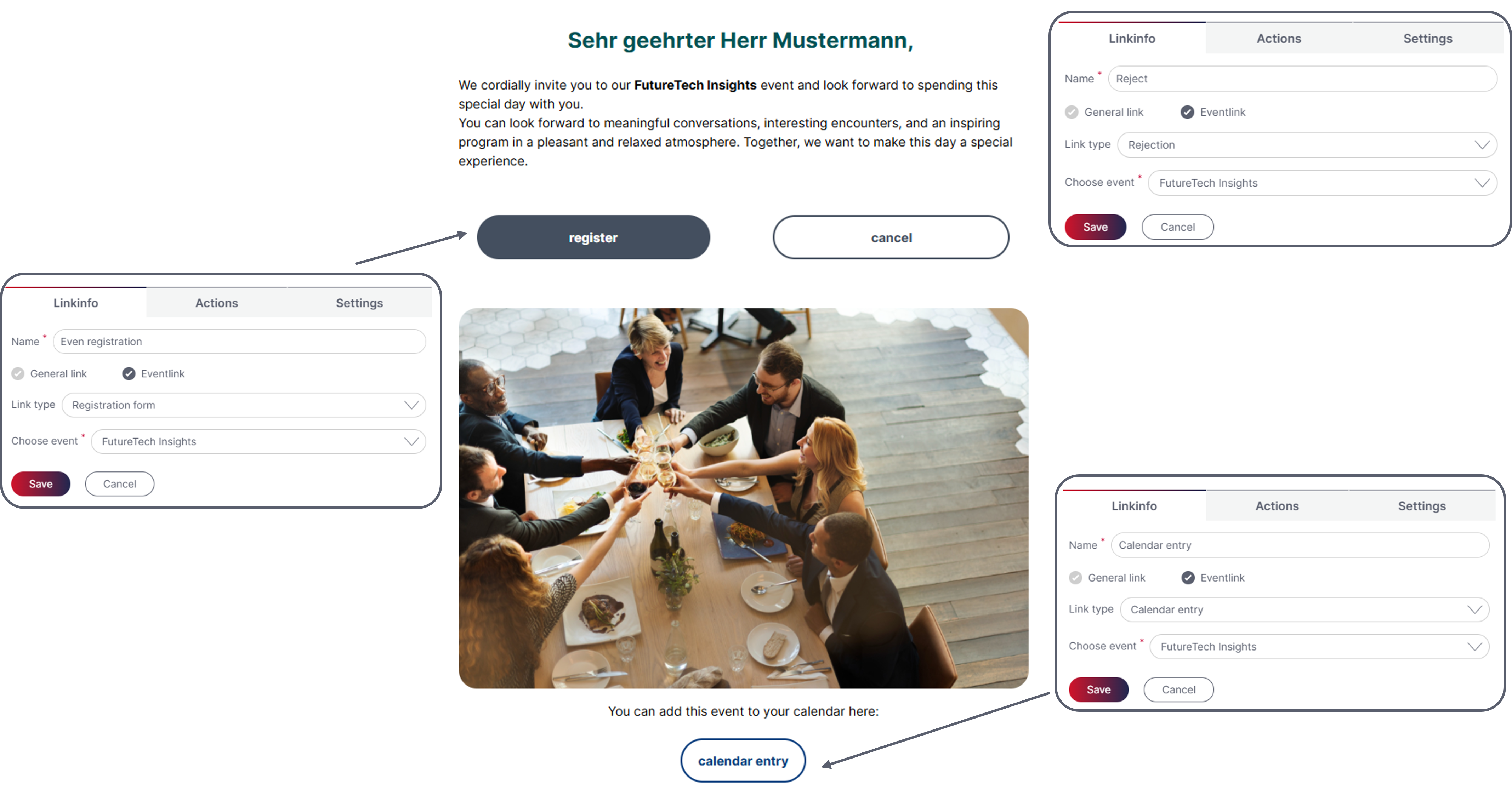
- Event Registration
Main call-to-action ("Register Now") - Calendar Entry
For subscribers who want to save the date - Optional: Cancellation
For subscribers who want to decline the invitation directly
Practical Tip:
Include the event registration link multiple times in the email (button + text link) to increase the likelihood of clicks.
Reminder Campaign
The content varies depending on the subscriber group (e.g. "Invited Without Response" or "Registered Participants").
- Encourage undecided subscribers to register
- Remind registered participants of the upcoming event
Reminder for Subscribers Who Have Not Yet Registered
Content:
- Friendly reminder of the invitation
- Information about the registration deadline or limited availability
Event Links:
- Event Registration
- Optional: Cancellation
Reminder for Registered Participants
Content:
- Registration confirmation
- Summary of the most important event details
- Information about directions, parking, or technical requirements (for online events)
Event Links:
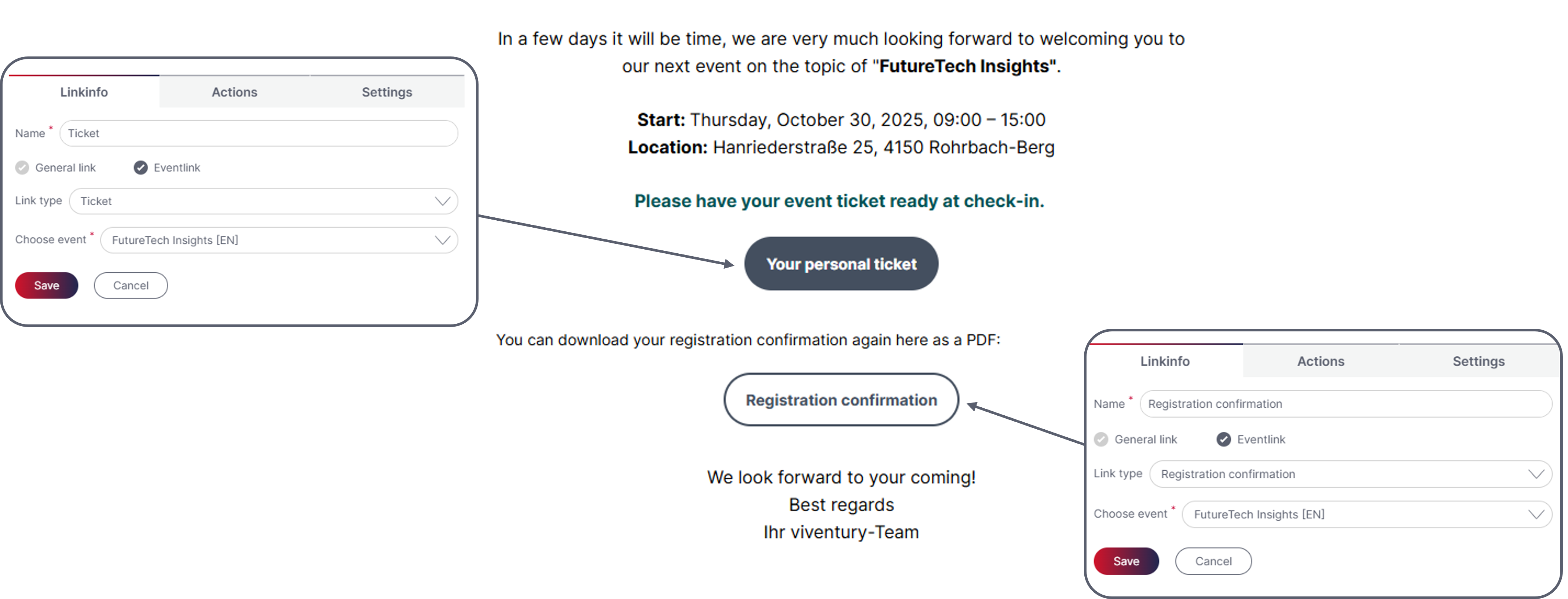
- Event Ticket
- Registration Confirmation
- Optional: Calendar Entry
- Optional: Event Cancellation
Practical Tip:
For online events, the calendar entry should always include the direct meeting link to make participation as easy as possible.
Registration Confirmation
This campaign is usually sent automatically as an event-based campaign when the event form is submitted.
Content:
- Personalized greeting and thank you for registering
- Summary of the registration details
- Information about companions (if applicable)
Event Links:
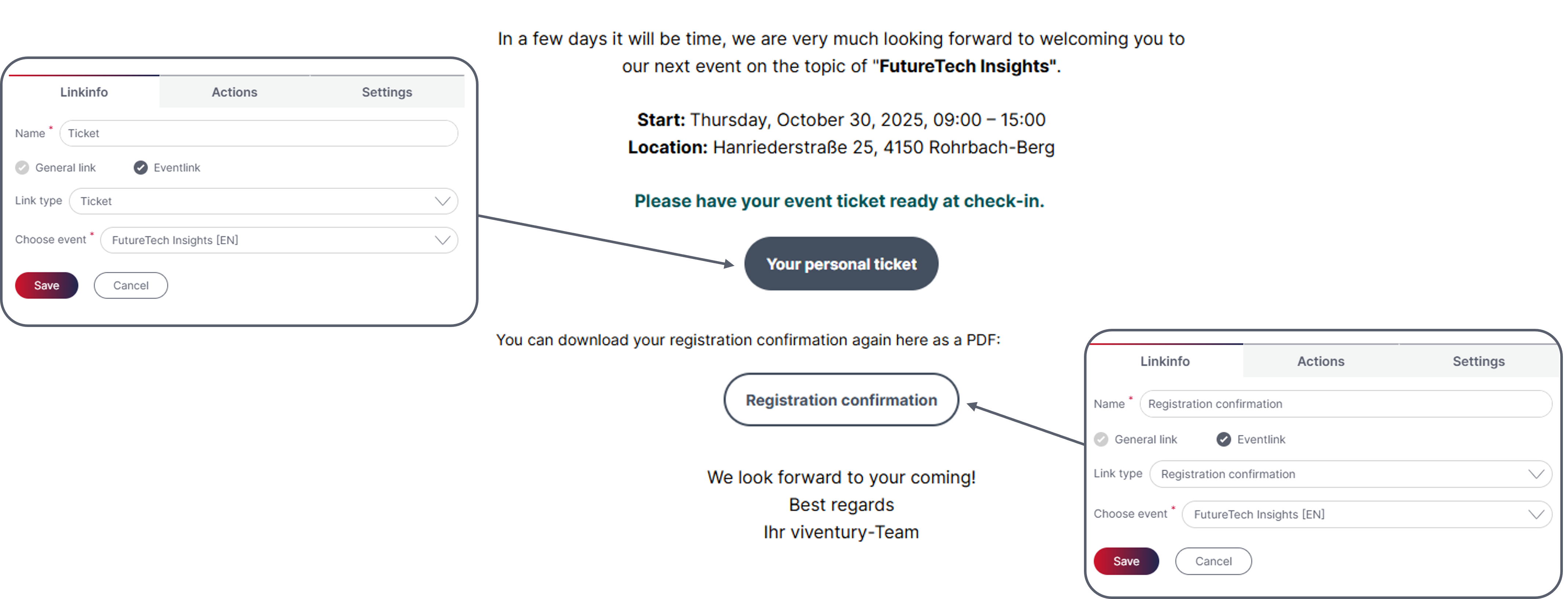
- Registration Confirmation (for download)
- Event Ticket
- Optional: Calendar Entry
Practical Tip:
Make sure to inform participants that they can update their registration details and the number of companions by clicking the registration link again.
Follow-Up Campaign
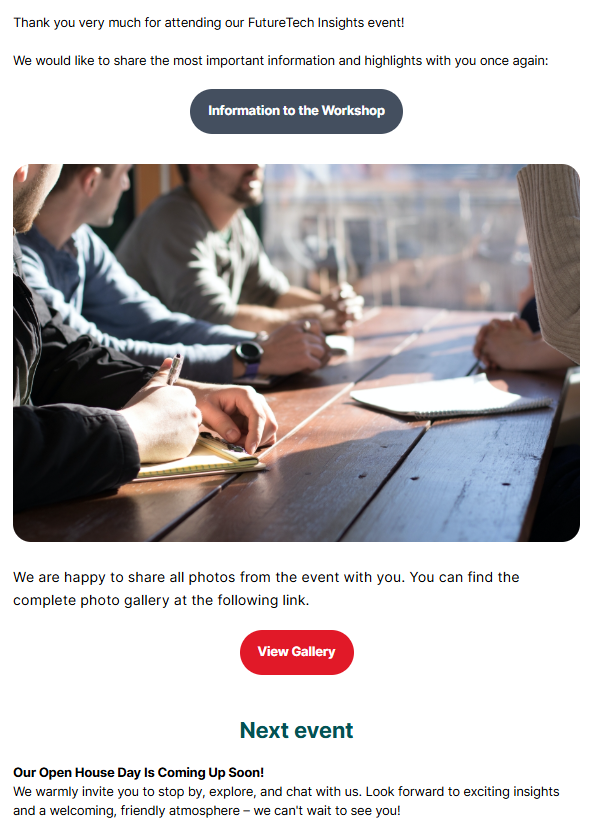
Content:
-
Thank you for attending
-
Presentations, recordings, or photos from the event
-
Information about upcoming events
Links:
- Optional: Event Feedback Form
Where Are Campaigns Linked to the Event?
The "Invitation", "Reminder", and "Follow-Up" campaigns should be linked in the Campaign Activity section of the Event. You can find more information in the previous whitepaper.
The registration confirmation is configured in the "Action" tab of the event form
Updated about 3 hours ago