
[EN] SMS Campaigns
With SMS campaigns, you can reach your recipients quickly and directly via text message. Setting up an SMS campaign takes just a few steps and is similar to setting up an email campaign.
First-time use
Before you can create your first SMS campaign, you must agree to the use of the sub-processor.
To do this, navigate to the SMS Campaigns section in the Messaging area. The first time you open this section, you will be asked to confirm your consent. You can then start creating your SMS campaigns straight away.
Create an SMS campaign
To create a new SMS campaign, open the SMS Campaigns section and click on New SMS Campaign.
The process involves three steps:
- Settings
- Content
- Send
Settings
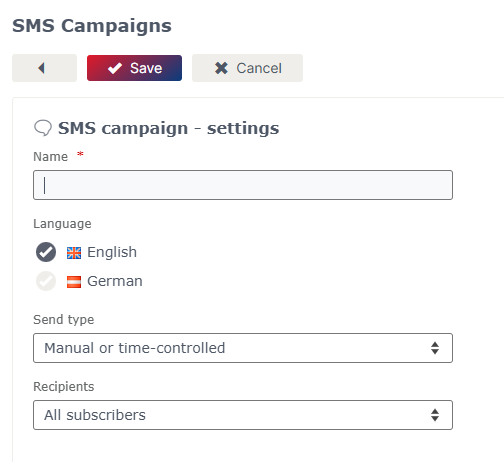
In the Settings tab, you can specify the basic details of your SMS campaign.
Here you can:
- enter the name of the campaign,
- select the delivery method and
- specify the recipients.
Content
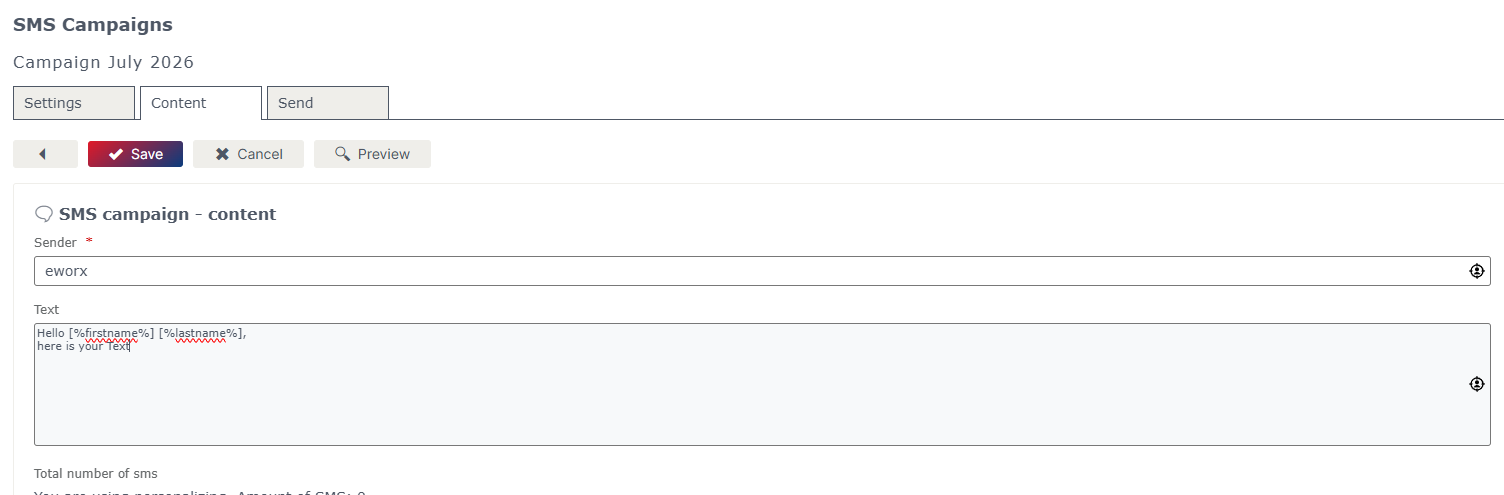
In the Content tab, you can create the content for your SMS campaign.
Here you can:
- specify the SMS sender,
- compose the message text, and
- use placeholders for a personalised message.
The available placeholders work in the same way as in email campaigns and are automatically replaced with the relevant recipient details when the message is sent.
Please note!
Only registered alphanumeric sender names may be used for sending text messages. To register, please contact our Service Crew.
Send
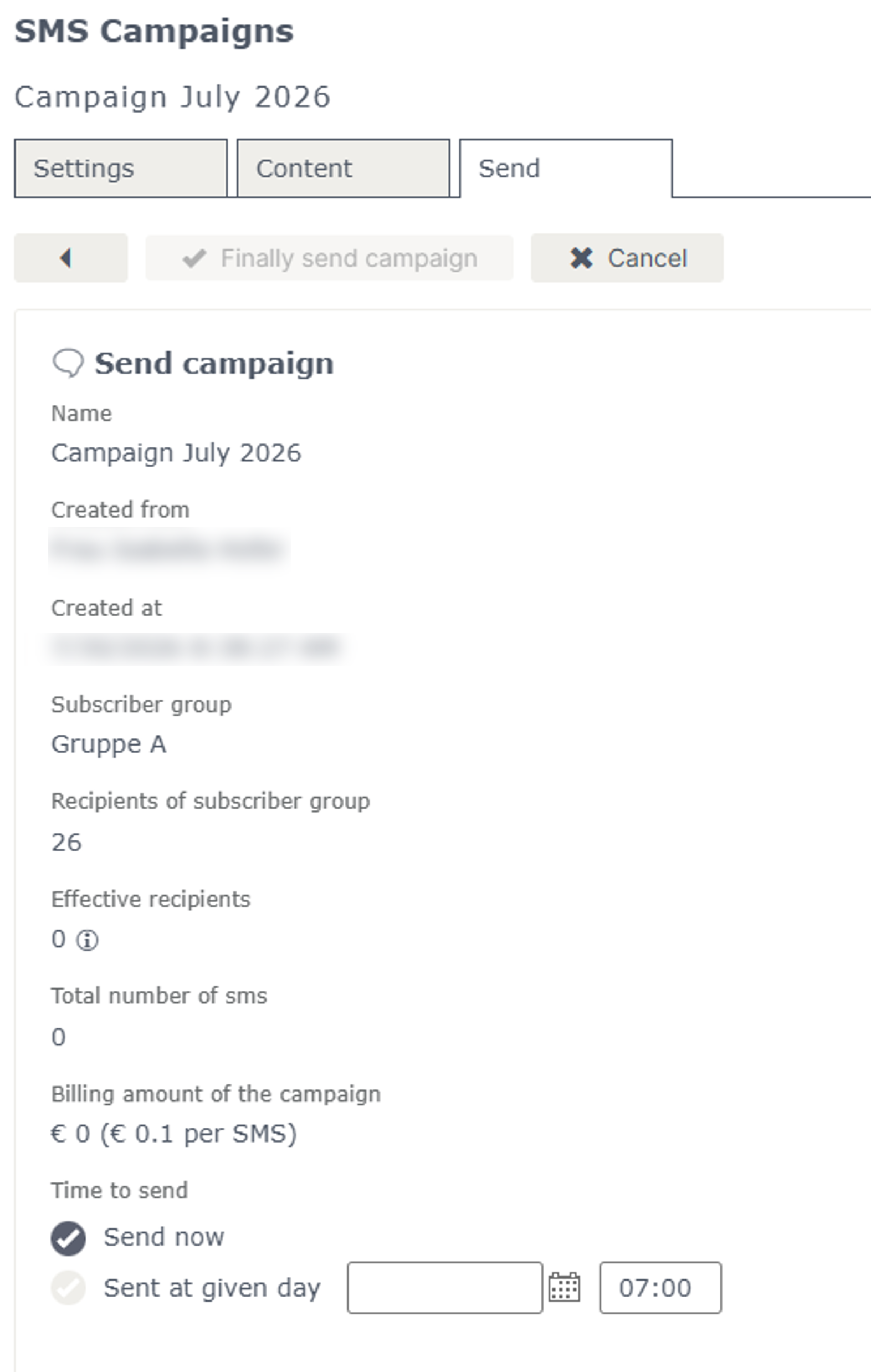
In the Send tab, you finalise the creation of your SMS campaign.
You can choose whether to send the campaign immediately or schedule it for a later date.
Before sending, you have another opportunity to review the campaign.
Notes:
Maximum character count
The maximum length of an SMS campaign is 460 characters.
Depending on the length of your message, it will automatically be split across several SMS messages:
| Number of characters | Number of text messages |
|---|---|
| Up to 160 characters | 1 text messages |
| 161 to 306 characters | 2 text messages |
| 307 to 460 characters | 3 text messages |
Double opt-in status
For SMS campaigns, the eworx Marketing Suite does not manage a separate double opt-in status as it does for email campaigns.
If you use both email and SMS campaigns, users can subscribe to both channels at the same time.
Unsubscribing
As text messages cannot contain an unsubscribe link in the same way as email campaigns, it is advisable to include a note about unsubscribing directly in the body of the message.
For example
Reply with “STOP” to stop receiving further text messages
Delivery to landline numbers
If an SMS is sent to an Austrian landline number (numbers starting with +43), it will be delivered as a voice message.
Costs
There are no set-up costs for using SMS campaigns.
Delivery charges are billed per SMS sent.
Please note: Please refer to your contract or the current price list for the current delivery charges.
Updated 3 months ago