
How to use our JSON API
The mailworx interface is implemented via a JSON web service, which can be accessed at the URL https://mailworx.marketingsuite.info/Services/JSON/ServiceAgent.svc. erreichbar ist.
You can find the interface definition at https://mailworx.marketingsuite.info/Services/JSON/ServiceAgent.svc?WSDL.
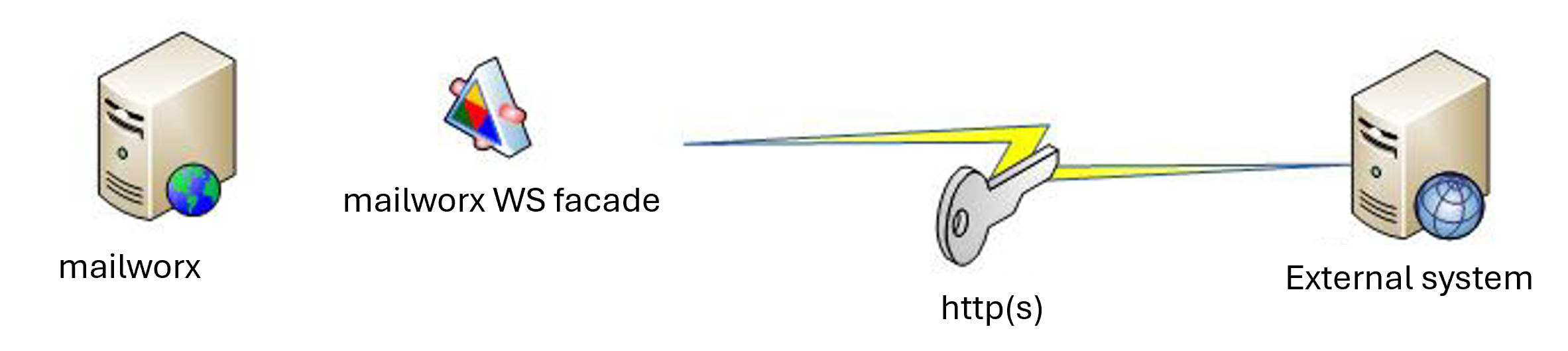
Call structure of the JSON web service
The mailworx JSON web service interface expects a JSON object as a parameter for every call and returns a JSON object as the result.
The object passed during the call must contain all the information required to execute the relevant method. At least the login details and the language must be passed with every call. All other properties depend on the method being called.
The object returned as the result contains the relevant method-specific data.
The mailworx JSON web service interface does not maintain a session when in use. It is therefore necessary to include the login credentials with every method call. The login credentials for mailworx are transmitted in plain text. For this reason, it is recommended that the JSON web service interface be accessed exclusively via HTTPS.
The login credentials consist of four properties: Account, Username, Password, Source. The Source property is the name of the application calling the mailworx interface. The application or the name listed here must be approved for use by eworx Network & Internet GmbH. Furthermore, eworx Network & Internet GmbH determines which methods of the mailworx interface are available for this application.
As mailworx can manage multilingual newsletters, each call also requires a “Language” property, which must be used with the corresponding language code (e.g. de, en, …).
This means that every JSON object to be passed must have at least two properties: ‘Language’ and SecurityContext (in which Account, Username, Password, Source are defined).

The following example illustrates how to use the JSON web service interface with the ImportSubscribers method:
<?php
// the path to the webservice
$webserviceUrl = "http://mailworx.marketingsuite.info/Services/JSON/ServiceAgent.svc";

// needed for authentication
$securityContext = array(
"Account" => "account",
"Username" => "username",
"Password" => "******",
"Source" => "api name"
);


// stores the list of subscriber
$subscribers = array();

// fill $subscribers with $subscriber
array_push($subscribers, array(
"OptIn" => false,
"Fields" => array(
array(
"__type" => "TextField:#Eworx.Mailworx.ServiceInterfaces",
"InternalName" => "email",
"UntypedValue" => "[email protected]"
)
)
));

// build the request
$data = array(
"request" => array(
"Language" => "DE", // language of the import
"SecurityContext" => $securityContext, // security context
"DuplicateCriteria" => "email", // fieldname of the duplicate criteria for the import
"Subscribers" => $subscribers // the subscriber data as list
)
);

// convert array to json
$json = json_encode($data);

// call the webservice url with the wanted method
$ch = curl_init($webserviceUrl . "/ImportSubscribers");
curl_setopt($ch, CURLOPT_CUSTOMREQUEST, "POST");
curl_setopt($ch, CURLOPT_POSTFIELDS, $json);
curl_setopt($ch, CURLOPT_RETURNTRANSFER, true);
curl_setopt($ch, CURLOPT_HTTPHEADER, array(
'Content-Type: application/json',
'Content-Length: ' . strlen($json))
);

// FINISH
$result =curl_exec($ch);
?>
To reduce the load on the system and ensure the highest possible reliability, the request limit is set to 300 calls per minute.
Securing the JSON Web Service interface
The JSON Web Service can be used via JSON over HTTP or JSON over HTTPS. Using HTTPS encrypts communication between clients and the server and secures data transmission via the JSON Web Service.
Numerous measures have been developed and implemented to protect your data and ensure the security and stability of the mailworx system.
The mailworx platform is operated from a central data centre in Linz and is directly connected to the high-availability internet backbone. State-of-the-art firewall technologies and constant monitoring guarantee the best possible protection.